


_svg.png)


A Smart Way to Manage QR Code Entry
IntelliGuard makes visitor access faster, simpler, and more secure.

If your estate still relies on manual visitor checks, phone calls, or shared temporary codes, access control can quickly become slow, frustrating, and difficult to manage. With IntelliGuard’s QR Code Gate Entry solution, you can simplify the entire experience while improving security and control.
Enjoy faster visitor access, fewer delays at the gate, and a more professional system that gives your estate full visibility through digital visitor logs. It’s a smarter, more reliable way to manage gate entry without the usual hassle.

Gate control via mobile app
Digital visitor logs
QR code and PIN access
Guard-less solution
Let us contact you and help you simplify your gate entry today.

See how IntelliGuard can simplify gate entry for your estate or complex.
Let's talk access
and how we can help you control it


For who is IntelliGuard Best For?
This solution is ideal for any property or gated community looking to move away from manual visitor books.




Are you facing these common access issues at the gate?
Here are some of the most common issues:


Paper logs?
Still using paper-based visitor logs?
Manual registers are slow, error-prone, and offer no real visibility or audit trail.


Long visitor queues?
Visitors waiting too long at the gate?
Calling residents for approval creates delays, queues, and a poor access experience.


Walk to open the gate?
Residents walking to the gate to open it?
Manual gate access is inconvenient and difficult to manage.


Limited visitor control?
Limited control over visitor access?
Without a digital system, it’s difficult to verify and track authorised visitors.

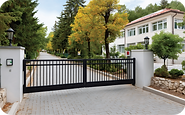
Inconsistent processes?
Visitor access process inconsistent?
Estates without full-time guards often rely on inefficient, unmanaged access methods.


Access Code sharing?
Code sharing creating security risks?
Static codes can be reused and shared, reducing control over who enters.
Let us show you how IntelliGuard can eliminate delays, improve security, and simplify visitor management at your gate.
So, how does IntelliGuard QR Code Gate Entry Work?
IntelliGuard makes it easy to give visitors secure access at the gate.


Residents create bookings
Using the IntelliGuard mobile app, the resident creates a visitor booking in seconds.

QR code is generated
The system creates a unique access credential linked to that specific visit.

Visitor receives code
The resident shares the QR code or PIN directly with the visitor before arrival.

Visitor arrives at the gate
At the entry keypad, the visitor scans the QR code or enters the PIN.

Access is verified
The system checks that the booking is valid and approved.

Gate opens
Once verified, the gate opens without the usual delays and manual handling.

Visitor Exit
At the exit keypad, the visitor scans the QR code or enters the PIN again.

Exit is verified
The system checks that the booking is valid and approved.

Visitor exits
The gate opens for the visitor to exit, and IntelliGuard logs the visit on the portal.
Discover how IntelliGuard can simplify visitor access for your estate or complex.
Why Estates Choose IntelliGuard?
Because IntelliGuard makes gate entry faster, smarter, and easier to control.

Simple, professional, and built for estates
Designed for estates, complexes, and office parks, IntelliGuard delivers secure access control without adding complexity.
Less admin, fewer delays at the gate
Reduce calls, interruptions, and waiting times for guards, gate staff, and residents.
No operator required – fully automated
IntelliGuard removes the need for constant manual intervention, allowing residents to manage visitor access effortlessly.
Digital visitor management and full visibility
Replace manual logs with a professional system that records every entry and exit, giving your estate better control and oversight.
Remote gate control from your phone
Residents can open gates and manage access from anywhere using the IntelliGuard mobile app.
QR Code and PIN access in one system
Give residents flexible visitor entry options that suit different scenarios, all managed through one simple system.
Join estates already using IntelliGuard to simplify visitor access and improve security.


Proud Product of SA Technologies PTY LTD
IntelliGuard, along with VisitMe is provided by SA Technologies, giving estates access to a trusted South African technology partner. Providing estate access control solutions across South Africa, including Gauteng, Western Cape, and Durban.
